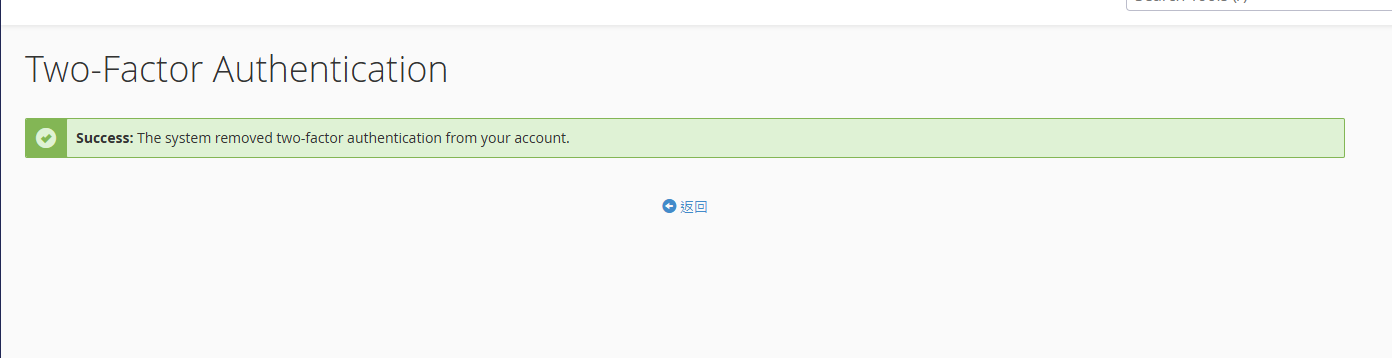
以下文章為如何透過手機設定需要 2FA 驗證後才能登入 cPanel
※設定後如果手機遺失要移除該設定,需聯繫管理員進行處理。
手機 APP 可以使用 Google Authenticator
https://play.google.com/store/apps/details?id=com.google.android.apps.authenticator2
STEP 1. 首先登入你的 cPanel ,通常來說登入連結會是
https://你的網址:2083
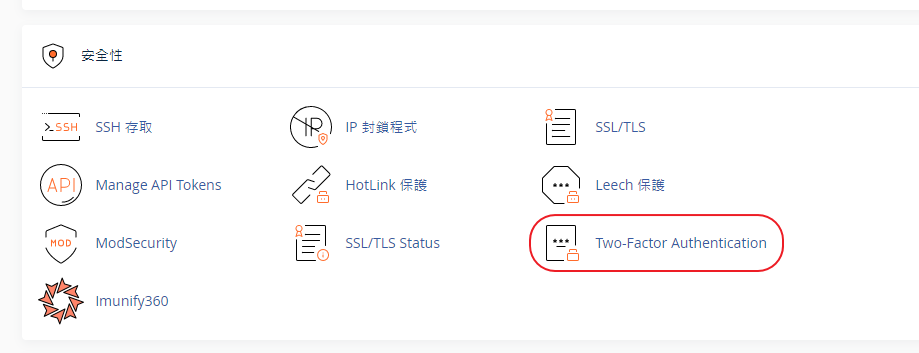
STEP 2. 從安全性的分類中選擇 Two-Factor Authentication
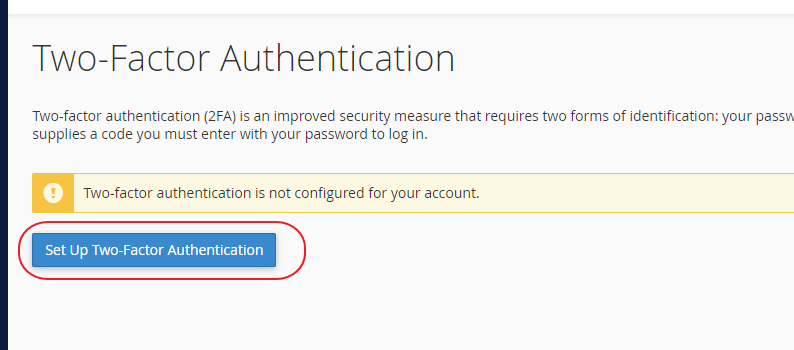
STEP 3. 點選按鈕 Set Up Two-Factor Authentication
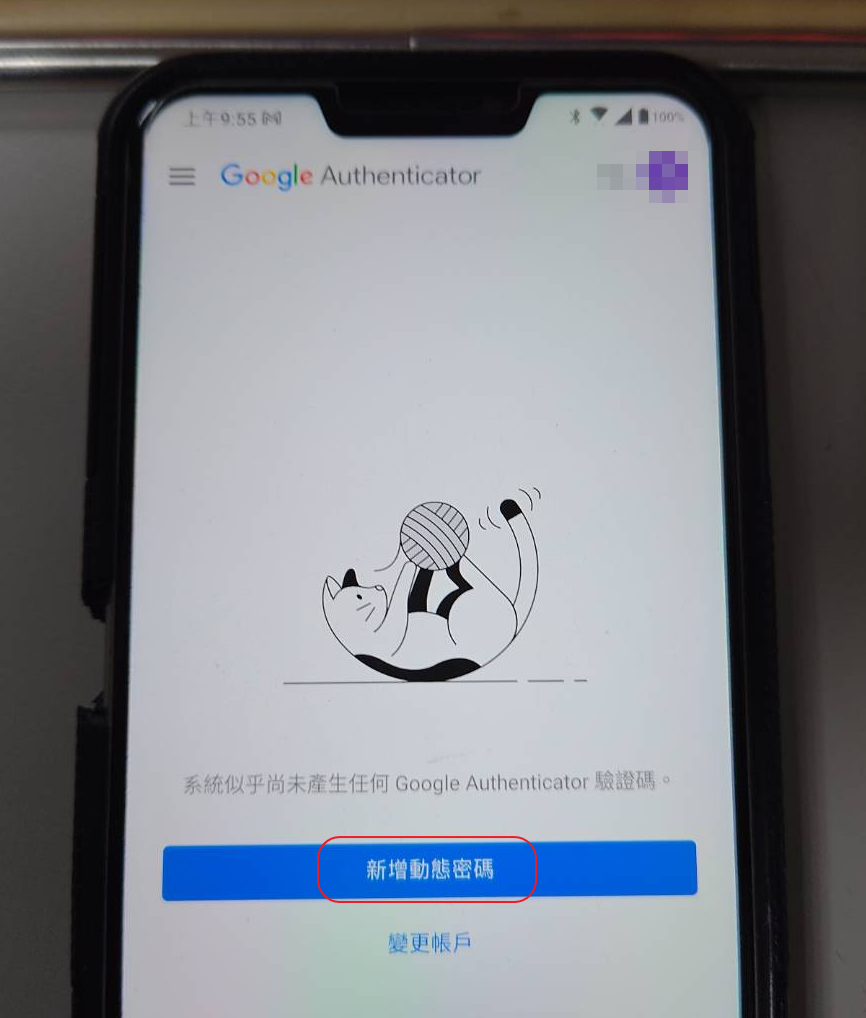
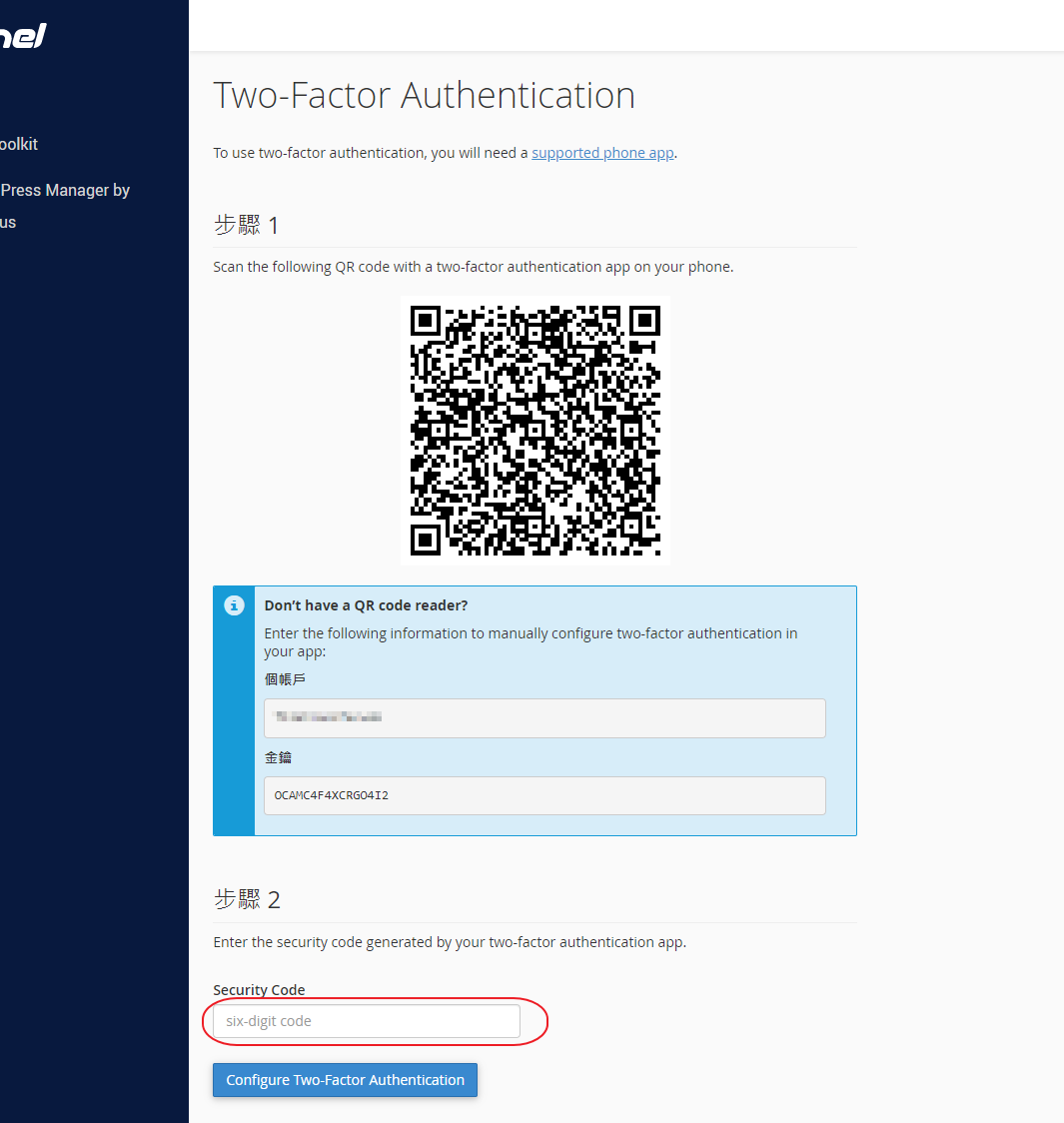
STEP 4. 開啟手機上的 2FA 軟體並透過相機掃描畫面上的 QR Code
本文中使用 Google Authenticator 作為範例
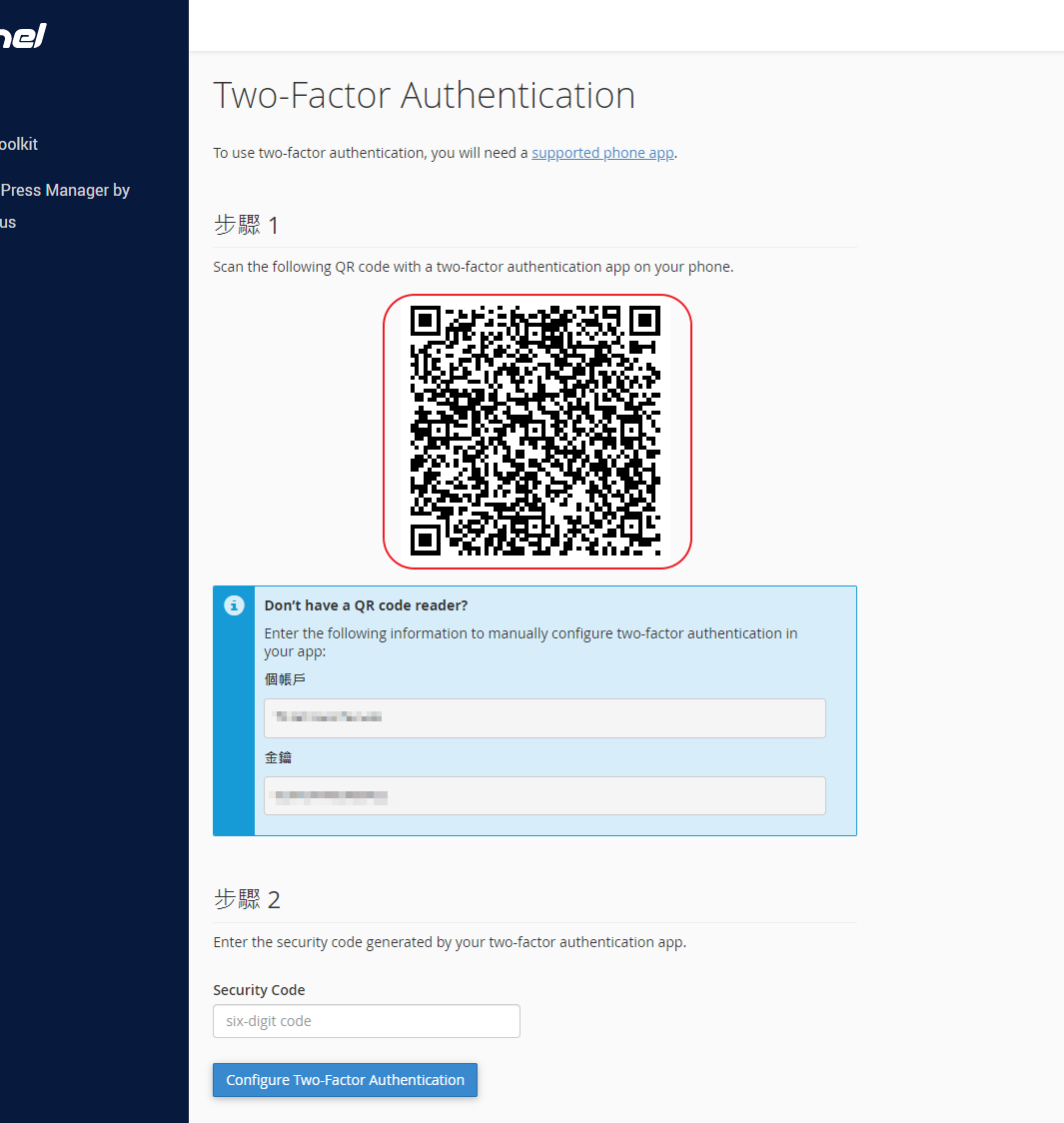
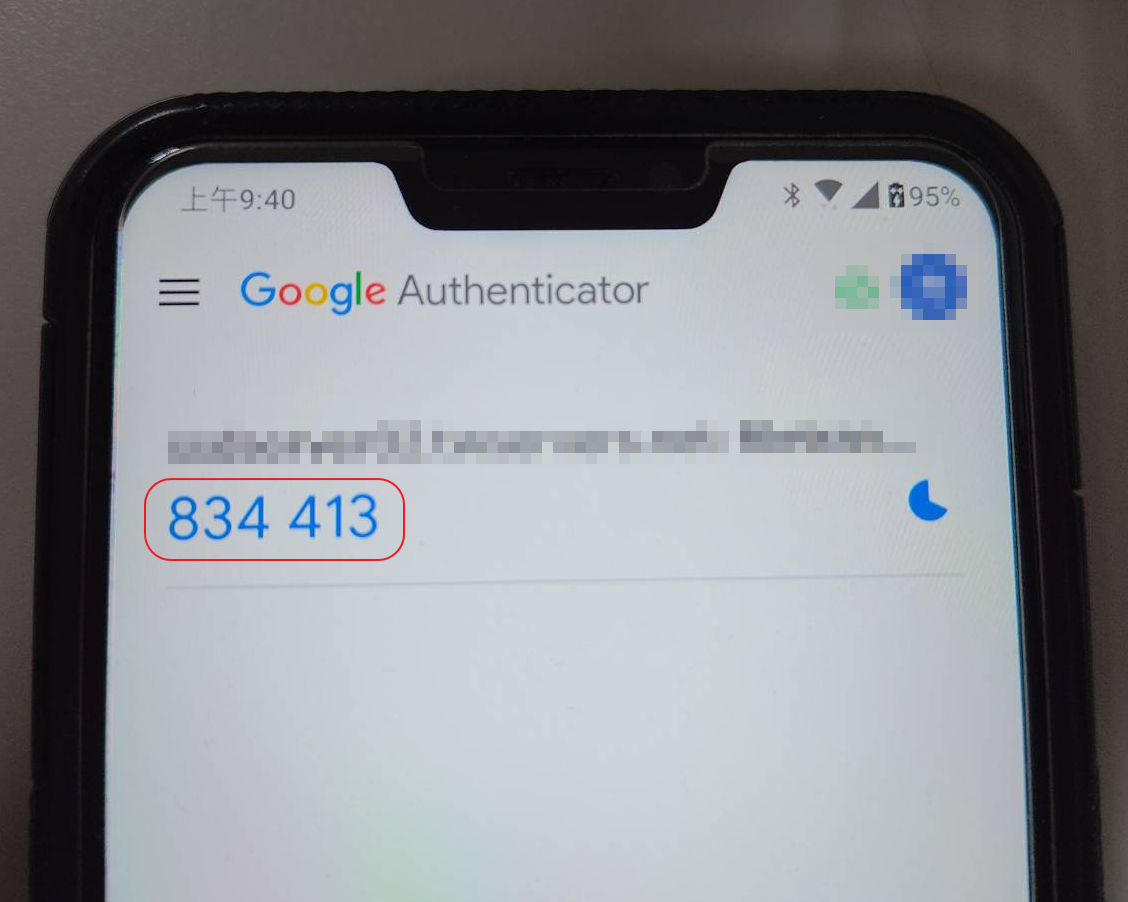
STEP 5. 在下方輸入 2FA APP 中顯示的六位數字
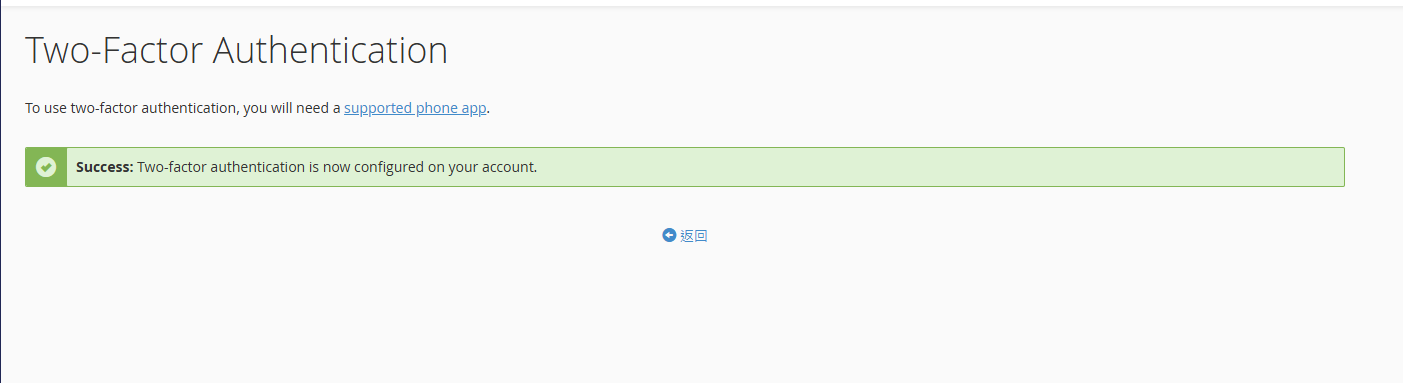
STEP 6. 出現此畫面代表設定完成
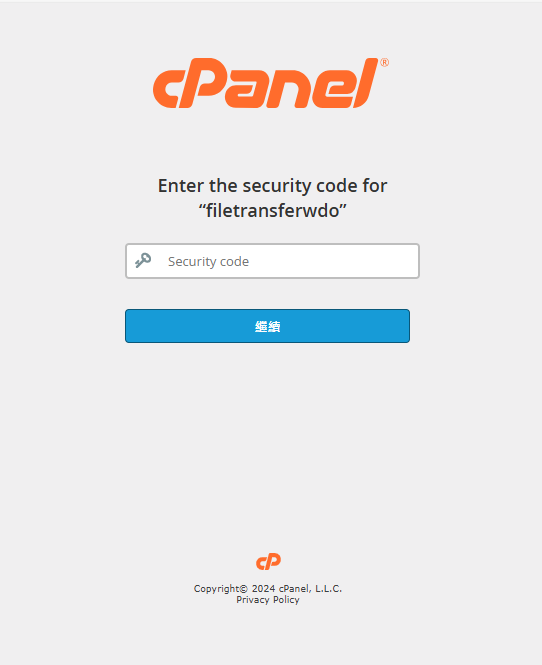
STEP 7. 之後要登入 cPanel 輸入帳號跟密碼後便會出現 2FA 的驗證畫面
如果要移除當前的 2FA 設定,請參考下面操作
STEP 1. 首先登入你的 cPanel ,通常來說登入連結會是
https://你的網址:2083
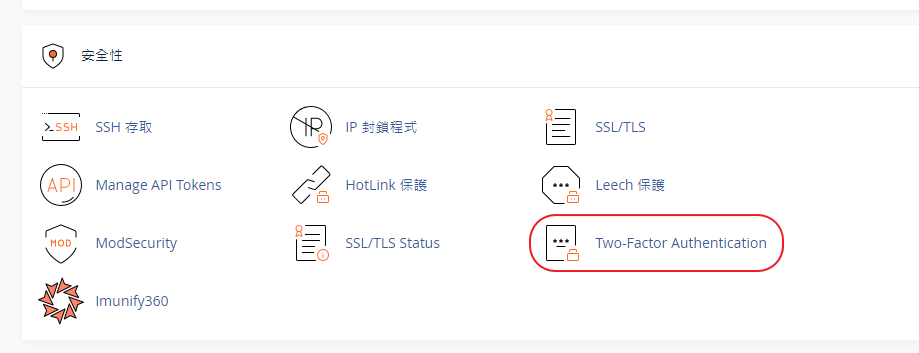
STEP 2. 從安全性的分類中選擇 Two-Factor Authentication
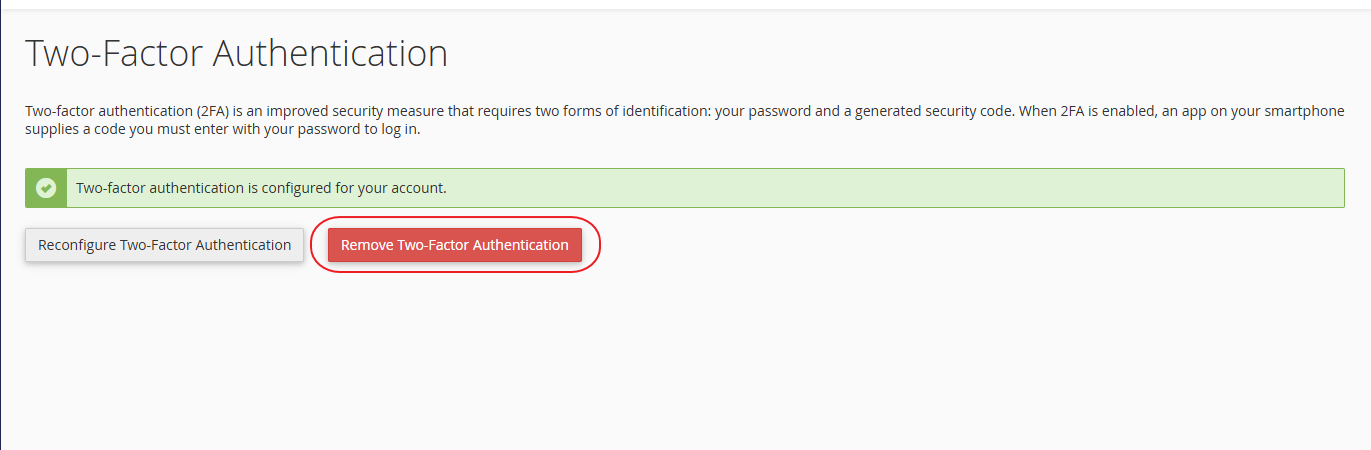
STEP 3. 點選 Remove Two-Factor Authentication
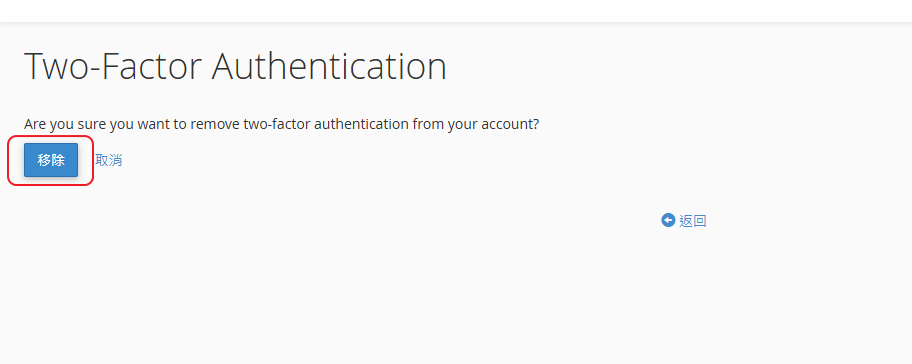
STEP 4. 點選【確認】按鈕
STEP 5. 2FA 設定已被移除