由於 cPanel 版本的問題
所以有兩種設定方法
新版可以直接從 Email Deliverability 設定
如果在 Email Deliverability 中沒找到,請看下方舊版的設定教學
以下為新版 cPanel 設定教學
1.登入 cPanel 以後選擇 Email Deliverability

2.選擇你的主網域點選後方的管理

3.下拉到 DMARC 後點選按鈕即可完成
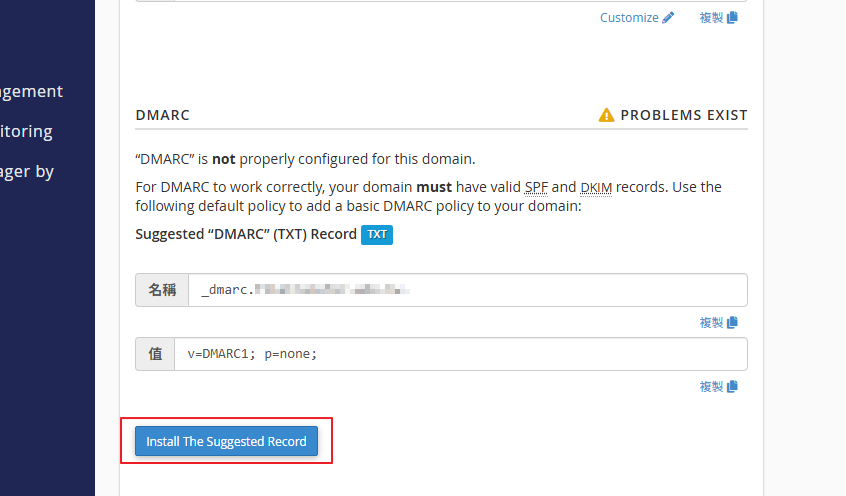
註:有使用者反應會出現錯誤訊息,這是因為我們的 nameserver 是使用 Cluster 的關係,該警告可以不用管。警告: Because this is not an authoritative nameserver for the domain “domain.com.tw”, the current or suggested records will not reflect your changes. Use the Zone Editor to ensure that the system applied your changes.
註:假如您的郵件服務或是 DNS 在其他地方,需要請指向位置的廠商協助設定。
以下為舊版 cPanel 設定教學
1.登入 cPanel
通常路徑為 https://你的網域:2083
2.開啟 Zone Editor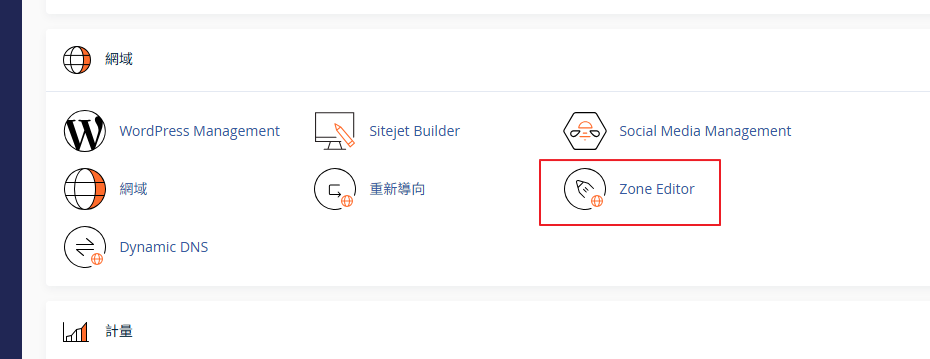
3.點選你的網域後面的管理按鈕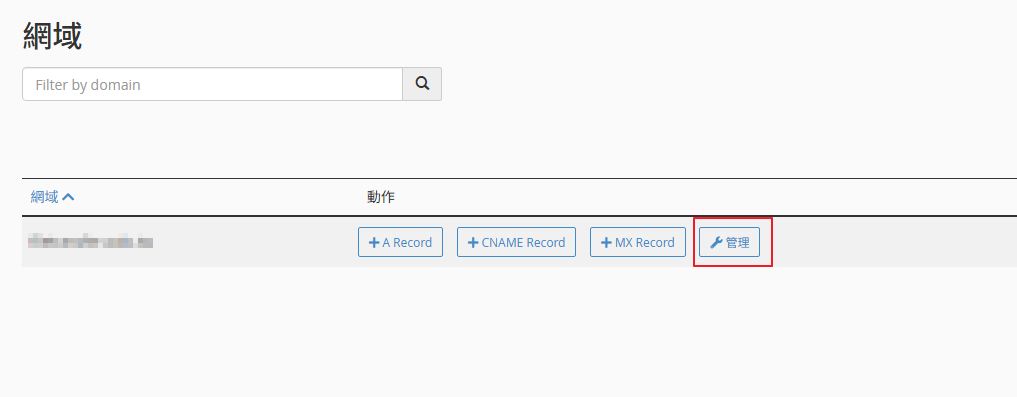
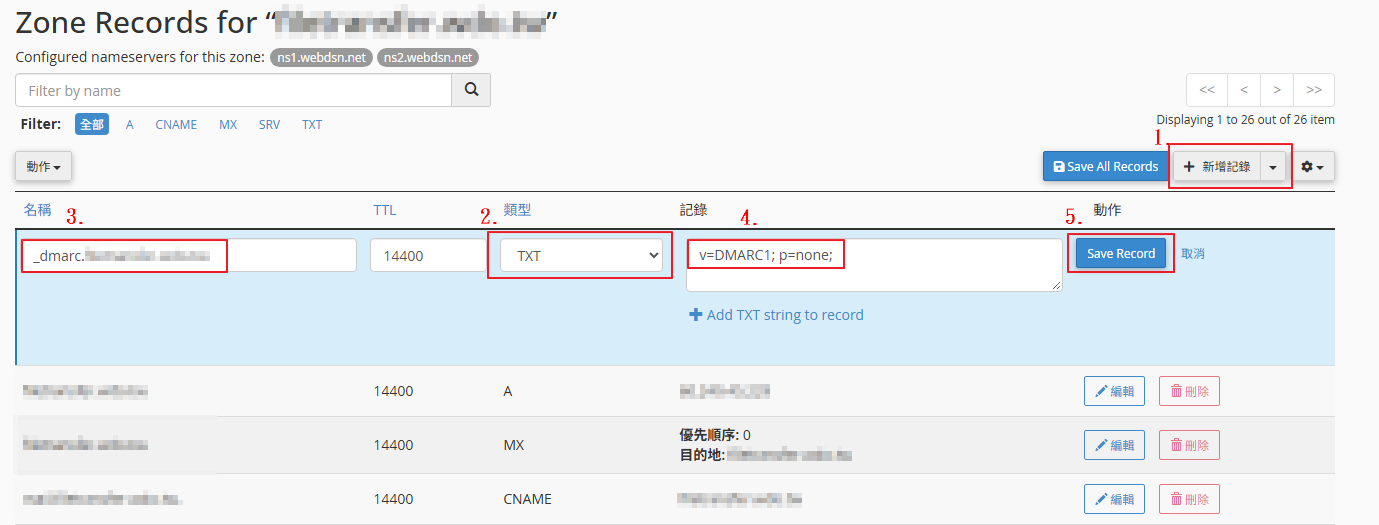
4.新增一組 TXT 紀錄
名稱為:_dmarc.你的網址
※註:dmarc 前面有一個底線符號
紀錄為:v=DMARC1; p=none;
點選後面的 Save Record 後就完成了